Tag Archives: Credit Cards

a logo for a university

Attend FTU Virtual Seminar on Saturday, August 28 ($25) or Free with Online Annual Membership

Good afternoon everyone, happy Friday.  If you have no plans next Saturday (August 28), I highly recommend attending the FTU Virtual Seminar (tickets available for $25) or free if you have the FTU Online Annual Membership.  The seminar starts on Saturday, August 28 at 8am PT / 11am ET.  I have attended all of the FTU Virtual Seminars over the last several months and they are always well done, educational, and entertaining – and I am sure this seminar will be no exception!  Here is the schedule and lineup of speakers.

If you register for the seminar on Saturday, but are unable to watch the live stream, you can access the recording of the seminar and watch later on.  This is also a great way to re-watch your favorite presentations and catch any details that you originally missed.


a screenshot of a web page

Continue reading

a blue credit card with a city silhouette

Barclays Business Credit Cards Now Visible on App & Website (Along with Bugs and Earner Grow Card)

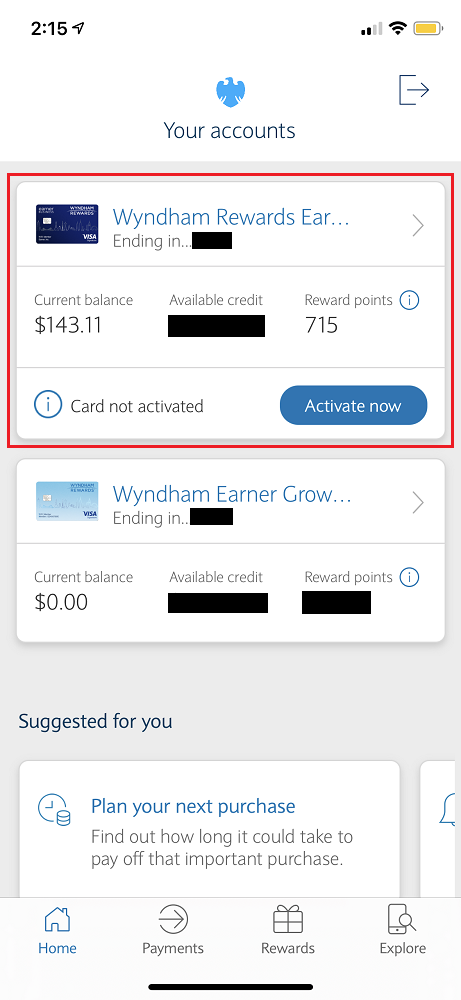
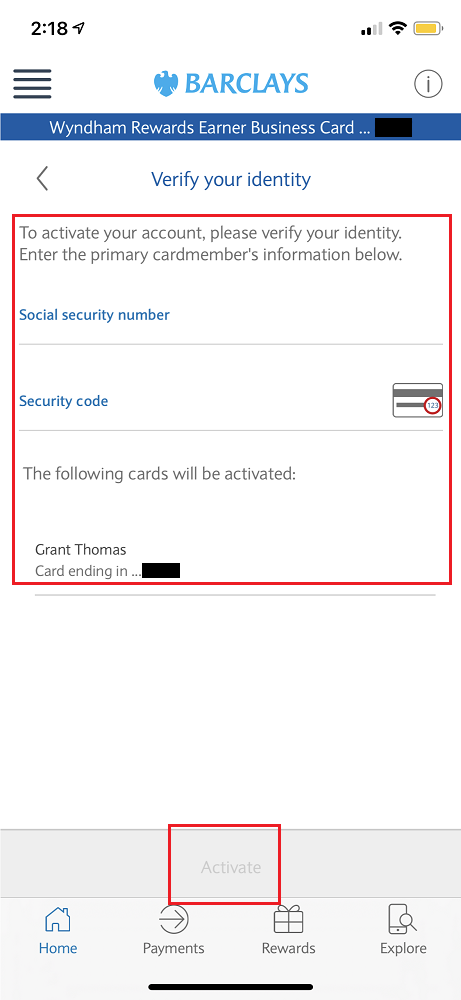
Good afternoon everyone, I hope you had a great weekend.  2 weeks ago, I wrote Barclays Wyndham Rewards Credit Cards: Business Earner CC Online Portal & Personal Earner Plus Upgrade Offer.  In that post, I said that beginning on August 15 (yesterday), Barclays business credit cards would now show up in the Barclays App and on BarclaysUS.com, along with all of your other Barclays credit cards.  I kind of forgot the launch date but discovered the change when I signed into the Barclays app this afternoon.  At the top of the screen was my Barclays Wyndham Rewards Earner Business Credit Card along with an Activate Now button (my card was activated in 2020 when I received the card).  Maybe Barclays needed me to activate the card in the app in order for it to work properly.  I’m not sure.  I clicked the Activate Now button and then had to verify my identity by entering the last 4 digits of my social security number and the 3 digit security code.  I then clicked the Activate button on the bottom of the screen.

Continue reading

a blue letter with a white background

My Good & Bad Experience with 2 Vacasa Vacation Rentals in Hawaii (Booked with Wyndham Rewards Points)

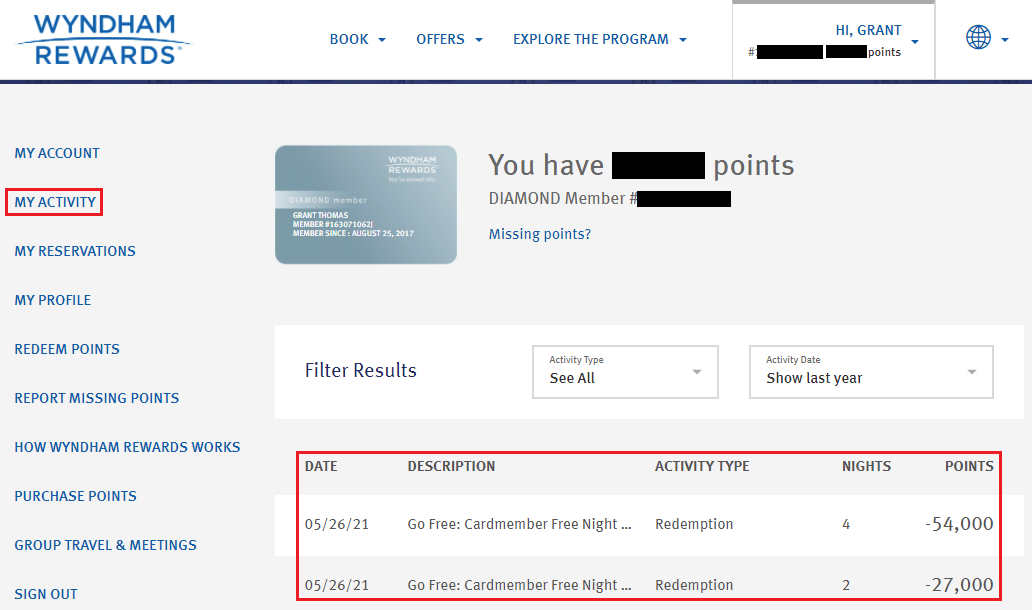
Good morning everyone, happy Friday!  A few months ago, I booked 6 nights in Kauai (4 in Princeville and 2 in Poipu) with Wyndham Rewards Points for stays at 2 different Vacasa vacation rentals (read My Experience Booking Vacasa Vacation Rentals with Wyndham Rewards Points).  Since I have the Barclays Wyndham Rewards Earner Business Credit Card, I get a 10% discount on all awards stays, so the cost per night was 13,500 Wyndham Rewards Points (or 81,000 points total for 6 nights).  In this post, I will share the good and bad experience I had with these 2 Vacasa vacation rentals.

a screenshot of a card

Continue reading

a blue and red logo

Citi Credit Card Payments Not Showing Online & in Citi App (YMMV)

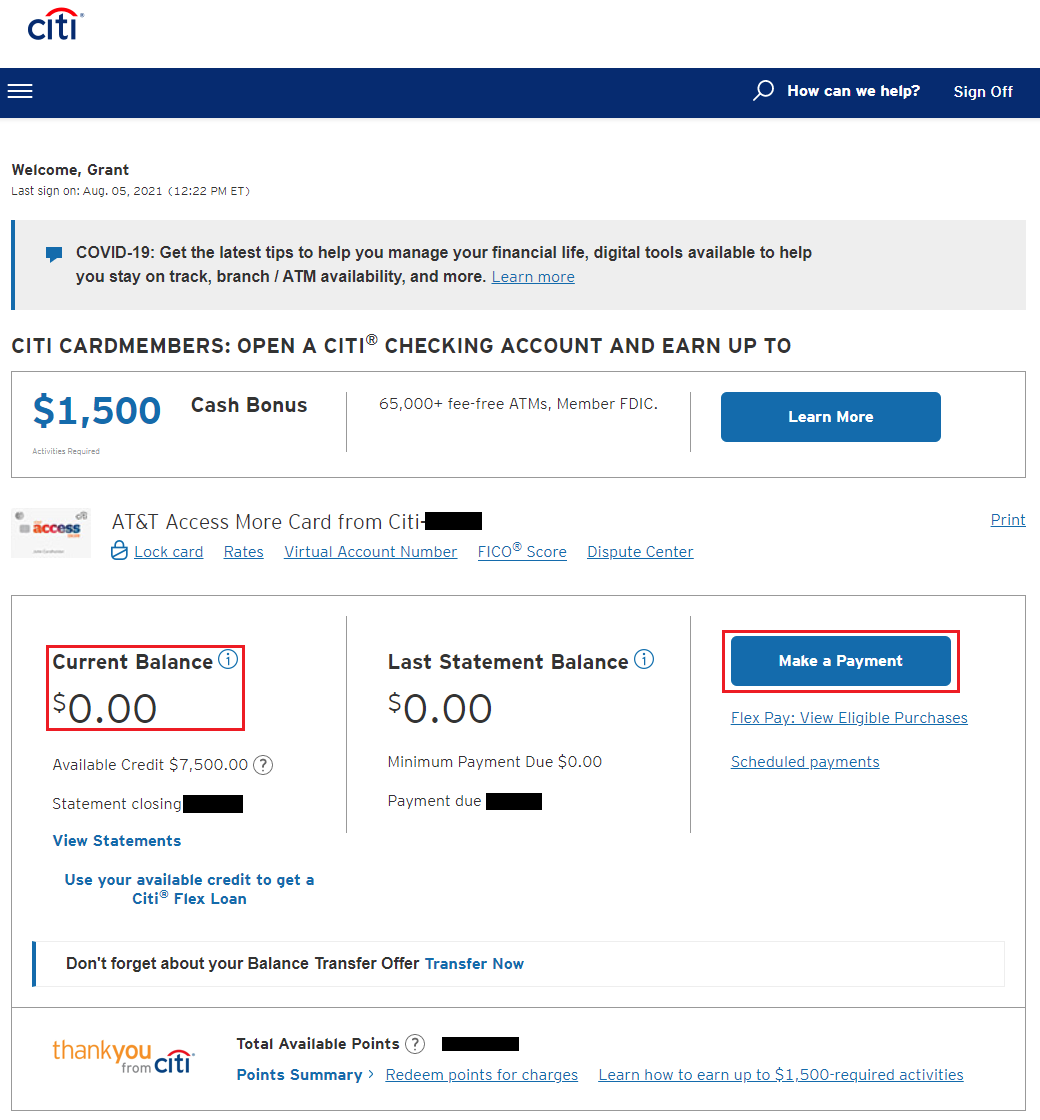
Good morning everyone, happy Friday.  I was reviewing my recent Citi credit card statements and noticed a bug on the Citi website and on the Citi App.  For some of my credit card accounts, it is not showing the payments in the Transactions section.  I needed to navigate to the Payment Activity page to confirm that the payment actually posted to my account.  I will show you what is happening and how to verify that the payment posted to your account successfully.  If your current balance is $0.00, that most likely means that the payment posted successfully.

Here is what one of my Citi AT&T Access More Credit Card accounts looks like online.

a screenshot of a credit card

Continue reading

a blue and red logo

Quick & Easy Credit Limit Increases with the Citi App (No Hard Pull or Credit Check)

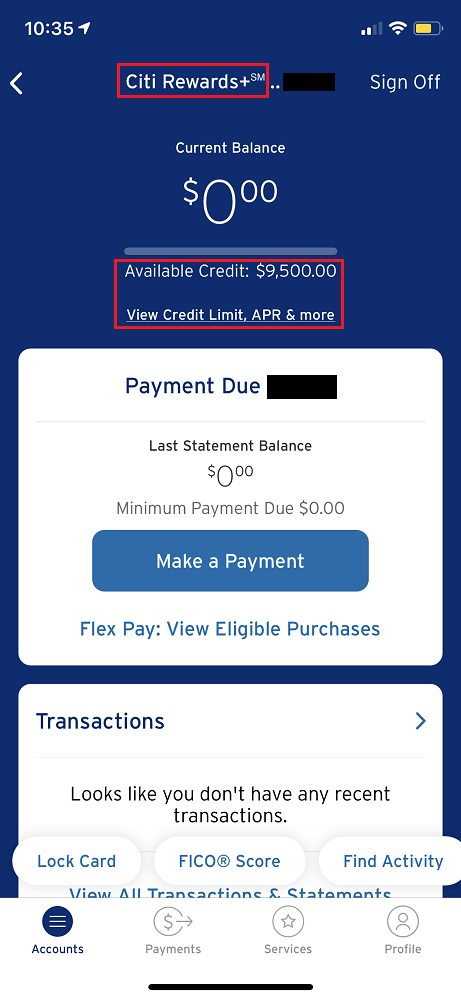
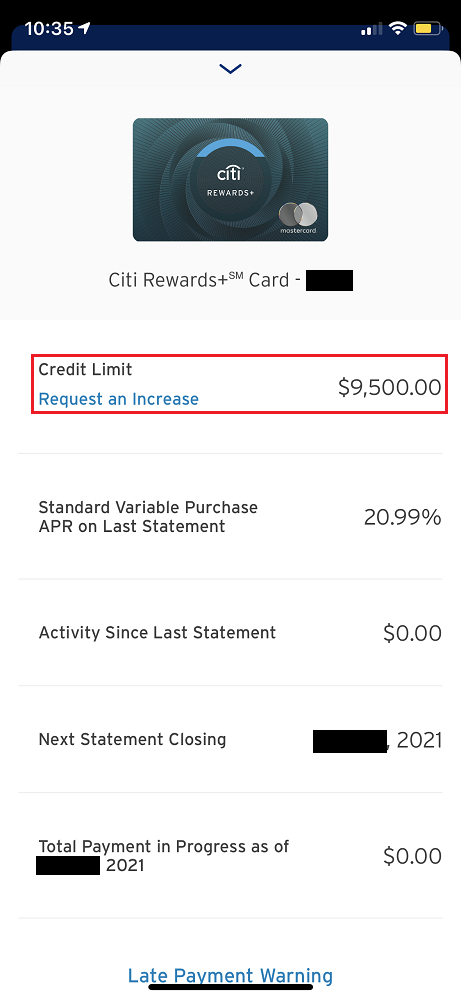
Good morning everyone.  I wrote a similar post in 2019 but I thought it was worth a refresher (Easily Request a Credit Limit Increase (No Hard Pull) via the Citi App).  If you have a Citi credit card and use the Citi App, you can quickly and easily request a credit limit increase through the Citi App.  I will walk you through the steps and share the results of my 4 Citi credit limit increase requests.  Having larger credit limits help with your credit utilization ratio and there are no hard pulls or credit checks (all 3 of my credit reports are currently frozen and I didn’t receive any credit monitoring alerts after making the credit limit increase requests).

I will go through the steps on my Citi Rewards+ Credit Card, but the steps are the same for any Citi credit card.  To get started, sign into the Citi App and click on the credit card you want to do a credit limit increase on.  Then click the View Credit Limit, APR & More link.  Then click the Request an Increase link.

Continue reading